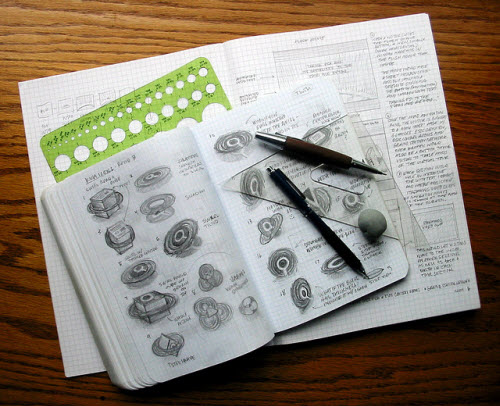
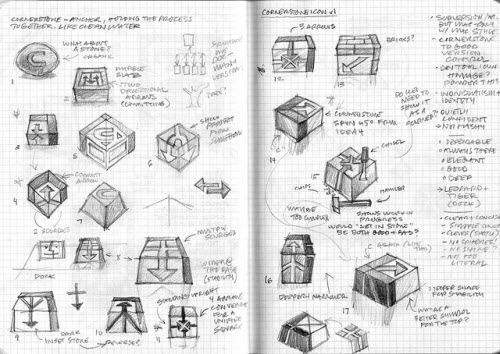
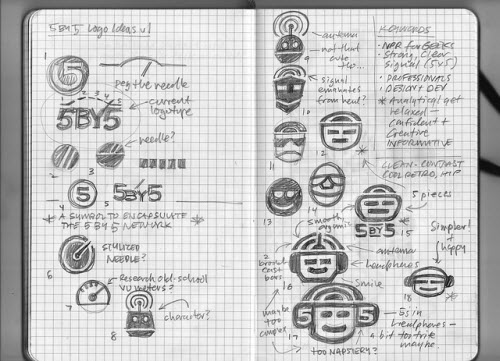
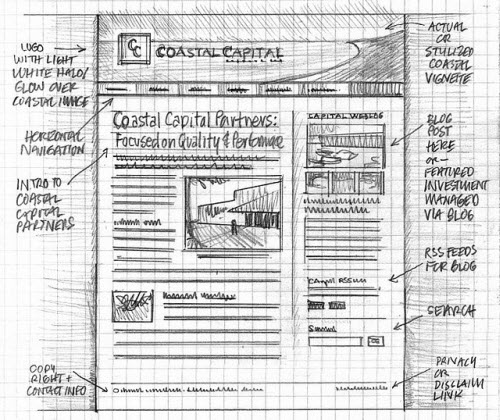
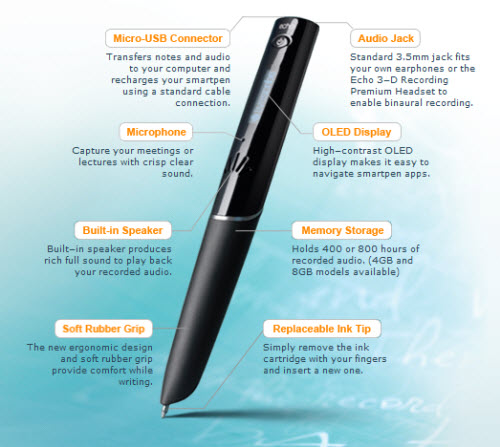
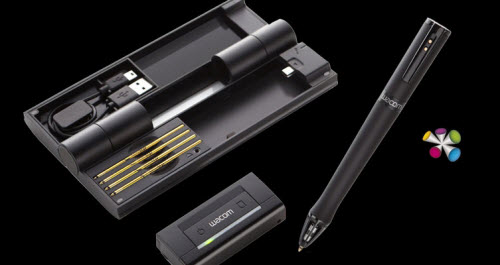
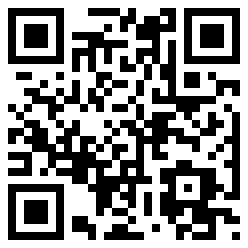
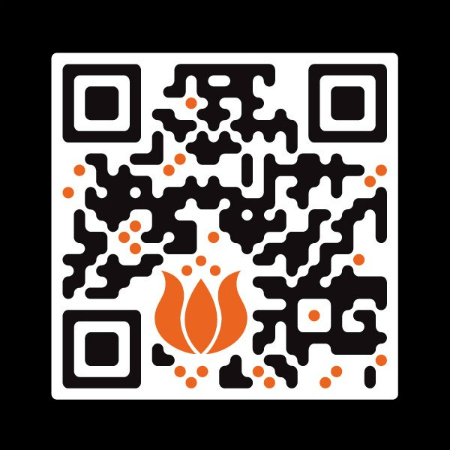
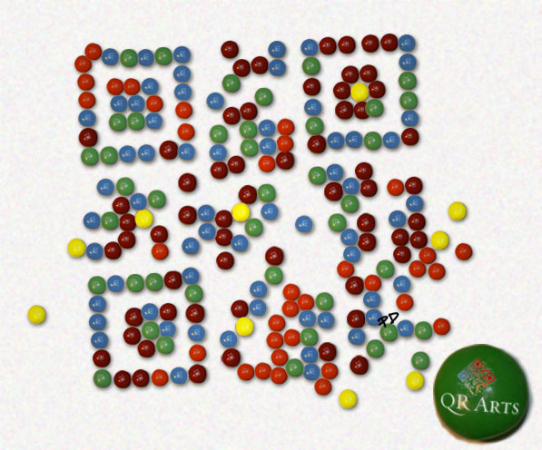
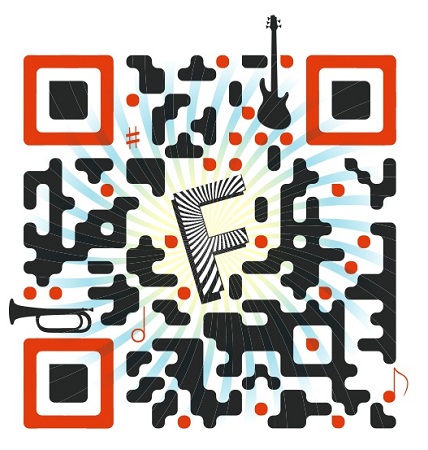
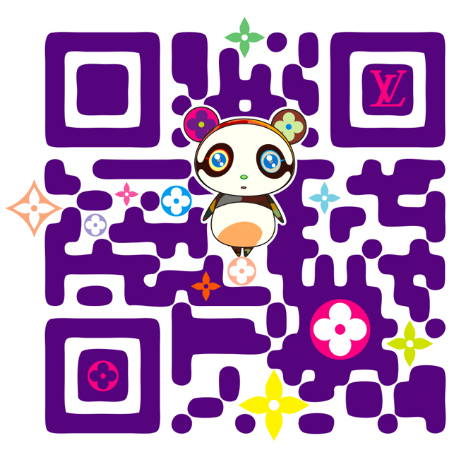
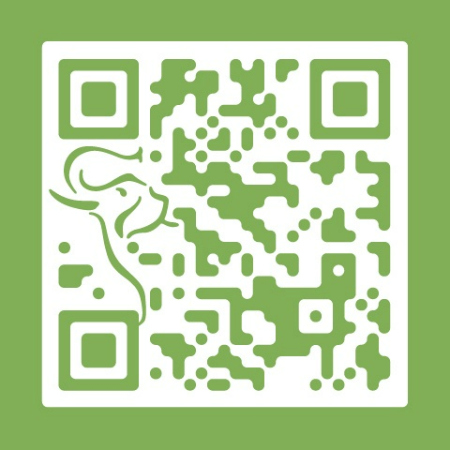
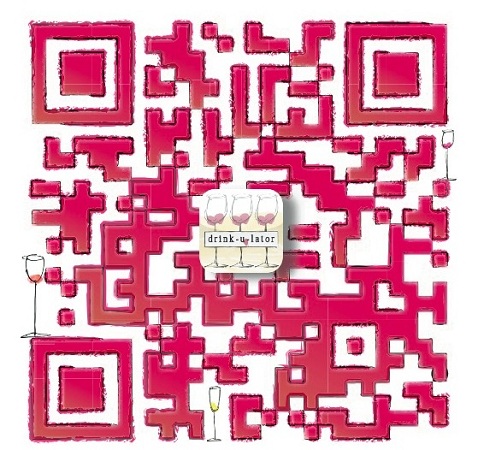
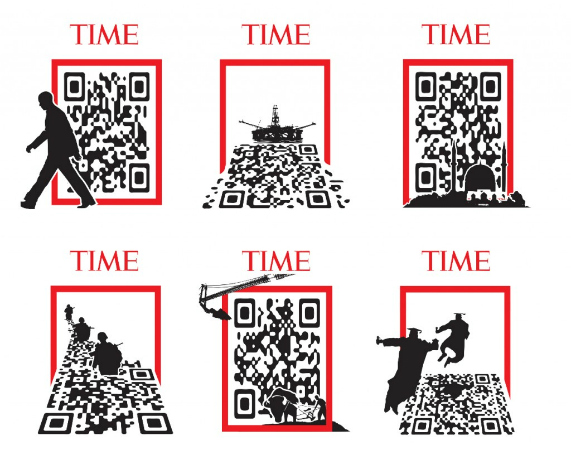
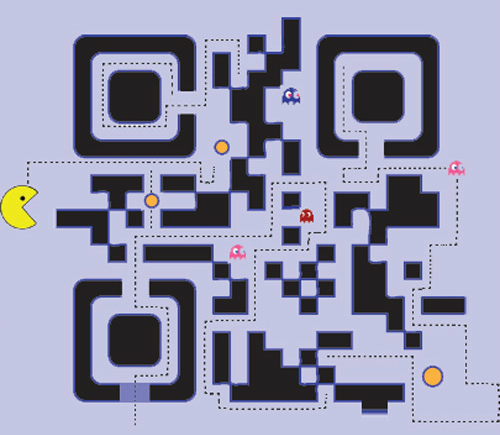
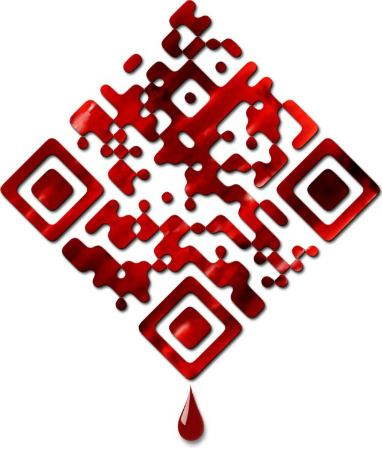
Add Comment Are you worried that your ad — the one you have been working so hard on and is about to go up onto the Internet where everyone can see it — might just be… horrible? There’s still hope. Through the years — and careful analysis of lots of truly bad advertising — Gary Stein Labs has created a simple five-point checklist that will help you determine for yourself whether or not this ad is worth anything at all. 1. Is Your Headline a Tagline? Taglines are great. When done correctly, a tagline neatly sums up the idea behind a product and what value it brings into the world. It should be short and memorably phrased. It should be inspiring and make it seem like the product is worthwhile. And, it should come somewhere near the bottom or the end of the ad. Too many companies (or their agencies) fall too deeply in love with the tagline and want to put it up in a prominent spot. But that’s too early in the discussion. You can’t start by talking about you. You need to start by talking about them. If your headline — the big text at the top of the ad — says “Brand X: Changing Underwear Washing Forever,” you missed the consumer. You need to have a headline that is about the consumer and her needs. Let the press write headlines about you, after you’ve achieved success. For now, write about the consumer. 2. Does Your Call to Action Feel Absolutely Unignorable? Assuming that you are not doing a pure branding effort, where simply watching an ad is the reward in and of itself, you need to tell people to do something. Or, rather, you need to invite them to do something, whether it is to buy something or visit your site or forward something on to a friend. You can’t just have an ad that says something but doesn’t compel another action. But, that call to action has to seem like something you can’t ignore. If someone could reasonably respond to your call to action with “no thanks,” you blew it. If your call to action is a question like, “Would you like to see some more information?” You missed the opportunity. The call to action has to be phrased as an imperative. “Act Now” is the classic, but there are plenty of others that are less harsh. Make sure you are really calling on the consumer to do something meaningful. 3. Does Your Graphic Element Have Anything to Do With Your Product? There are a lot of images out there that you can choose to put in your ad. A quick Google Images search can yield anything that can be plopped in. But, if you have decided to put one of those images into your ad, it has to communicate. It has to help convey a message and (hopefully) compel an action. It has to give the ad some life or humanity or help put the product in context or give some new information — maybe about what the product looks like or how it is used. If you have an image in your ad, and it is not immediately, totally clear why it is there, take it out. You have a very short window of opportunity to connect with your consumer and give them a new idea. An image is a great shortcut to getting your idea across. But if that image doesn’t communicate in the way you need it to, you’re just wasting your time. 4. Is Your Ad Relevant and Differentiated? Advertising is the art of creating something that’s relevant and differentiated. That’s it. You need to have a message that’s relevant — it’s clear how the product you are advertising fits into the consumer’s life and solves a real need. But you also need to be unique — your ad needs to stand separately from any other ad that exists out there that is advertising a product that is also relevant to the consumer. It’s so tempting to simply say what the product does or what the benefit is. But unless you are the absolutely only brand that can make that claim, you’re going to have to make sure that your claim is presented in a unique way. Want to know the secret to creating great ads? Tell a compelling story that reveals a product attribute. Every brilliant ad follows this format. If you do this, you have a great shot at success. 5. Is Your Ad About One, Simple, Compelling Thing? Let’s face facts: There is too much stuff out there. It’s not that people don’t want all this stuff. They are signing up for cable and subscribing to magazines and getting RSS feeds and everything. The problem comes, especially for ads, when they try to communicate too many things. You have to cut. The key to design is not so much knowing what to put in as it is knowing what to leave out. That has to be your mandate. Apple’s success has much to do with the fact that every new thing it creates gives you more abilities with fewer buttons. Consider the trackpad on the MacBook. Ten years ago it was tiny, did nothing more than move the pointer around, and required a button. Today, it is huge, allows you dozens of functions, and has no button. Do that with your ad: cut, cut and cut. Ask yourself what single thing can a person do that would be valuable to you and point everything toward that. Sound good? The thing about these pointers is that it’s not really about digital, per se. That’s because we have long left the era when digital was a thing in and of itself. Now it’s a core part of most people’s media lives and we need to respect that. And that means holding digital ads up to the same scrutiny that we do with all other ads in all other formats. by Gary Stein for ClickZ When was the last time you actually wrote using pen and paper? It’s not surprising to know that you seldom use them, as we’re entering the digital age when technologies like laptop and tablet blossom all over the world. However, the crucial fact here is that using pen and paper are definitely more efficient than using computer when it comes to sketching, writing, designing, any activity that involves brainstorming! (Image Source: Mike Rohde) It’s safe to say that with pen and paper, your creativity will truly be unleashed in a very fast manner, making your work more efficient than ever. What’s really greater is that they save tons of your energy and time, with the chance to decrease your head-scratching moment! 1. It Combats Designer’s Block The first and foremost reason that you should sketch on paper before designing on computer is your idea will flow more naturally. This fact is even applicable to the Wacom pen tablet’s holder. It’s apparently not a preference issue but a predefined habit of the human, after all sketching on the paper is certainly more user-friendly than typing on the computer, as you can draw or write anything on the paper so freely and naturally. (Image Source: Mike Rohde) This is my first-hand experience. When I’m trying to come up with a short story I find it easier to generate the ideas on a legal pad than type the ideas out in computer. Even though I know that I’ll still be typing them on my laptop, I still wrote them via hand. Why? Because I noticed that ideas flow naturally with every letter I wrote. So, are you having the writer’s block while you’re sitting in front of Microsoft Word, or Adobe Photoshop? Take some time off and bring out some papers and your pencil, then start sketching anything comes into your mind. If you’re trying to come up with a logo, you can start with a circle, and after several minutes you’ll notice that you’ve made several variations. 2. It Greatly Saves Your Time & Energy This point is especially true for web designer. In web design we often have so many things to be planned, says home page, product page, contact page and even details like how the link button should look like. Sketch the ideas on Photoshop and modify them when changes are needed will prove to be exhausting and time-consuming. (Image Source: Mike Rohde) The question is: why waste your energy and time on the computer while some papers and a pen can do the same job? You can sketch on the paper any way you want, and tear the idea down any time you wantwithout pressing buttons here and there, talking about productivity! What’s greater is that as you sketch faster, more ideas will pop up in such a short time and you can evenalter them to spawn more ideas, talking about creativity! 3. It Gives A Clear Perspective There are many professional web designers and graphic artists who always bring their sketchpad to meetings with their clients. Because sketching is actually faster than using computer when brainstorming with the clients. (Image Source: Mike Rohde) Besides, in the design industry it is very important that the designer understands what the client wants to see, and the paper and pen come in really handy for this situation. Always bring a sketchpad and a pen/pencil to meetings, your drawing doesn’t necessarily need to be perfect, just the rough representation of what the client might see as the final product. In terms of programming, sketching is like drawing a flowchart. In terms of writing a novel, it is like writing an outline of all the events and characters. Actually there’s a term for it in web design, it’s called wireframing. It isonly composed of lines, squares, and shades to represent how the website will look like. 4. It’s Here Whenever You Need It There are times when a designer simply forgets what he/she has thought of. Having a pen and paper at ready will prove useful to record the great ideas which you might simply forget them in seconds. It also allows you to immediately get into the work like prototyping, even while you are waiting for the bus to arrive. (Image Source: EddyMixx) Would it not be perfect to have a sketchpad with you wherever you go so that those random ideas can be recorded? Like when you’re traveling or you’re waiting in a queue and a great idea comes to mind. You wouldn’t want to lose that precious idea just because you weren’t bringing anything that you can use to record your thoughts, right? A great example of this is the writing of the poem, “Kubla Khan” by Samuel Taylor Coleridge. Samuel allegedly dreamt of the whole thing, and upon waking up he went to his notes and wrote down everything before he forgets them (but he was interrupted by someone in the end). What if he was not with his notes at that time? A great poem might not be born at all! Modern Technology’s Take On This: Sketching and writing with paper and pen is fun, but it can also be a pain especially when you hope to carry your ideas with you always, and you only want to bring a computer but not several legal pads to everywhere. Besides, in most cases, you certainly don’t want to re-draw or re-type the ideas into the computer. The good news is that the technology is so advanced that certain digital products can help you tackle the issue of integration and sharing while you are still able to enjoy sketching on the paper. Livescribe is a digital pen that is able to write on real paper like ordinary pen, with a twist! You can stick in Livescribe to your computer and everything you’ve written is converted into “searchable” images on your computer. Livescribe can also be used to record audio, and with additional apps it can do simple mathematical computations, and many others functions! Certainty that you are acquainted with Wacom and its pen tablets for digital painting and sketching, but did you know that they have a product that actually uses an ink and paper? Inkling is Wacom’s product thatrecords every stroke and shade on a paper, and later on enables the user to transfer the whole art to Photoshop for additional improvements. Inkling can be used on any paper or any surface as long as it’s flat. ConclusionAs the current technology advances intensively, I believe it is our duty to keep up with it while not leaving the traditional things behind, especially those from which creativity came from. Marrying technology with tradition results to great things. While designing on the computer has its great advantages, it’s good for you to leave your mouse and keyboard for several minutes and get really creative by start sketching/writing on your paper! Author: Rean As freelance designers... self-discipline is one essential characteristic to cultivate. Granted that you have the benefits of a flexible timetable, it is highly critical for you to be firm in your daily dealings to keep your business going well. Maintaining high motivation for your work is hence a topmost priority. But hey, who doesn’t have the downtime? Sometimes it’s easy to lose heart when you’re not getting by with freelancing, or when it didn’t meet your expectation of flexibility. That is why it is crucial for you to know what serves as motivation for freelancers like yourself. As a part-time freelance blogger myself, I could relate to a few common issues regarding the lack of motivation. Fortunately, I have found for myself a few solutions that I could apply when I feel I’m running low on battery, and I’m willing to share to you my remedies in this post, full sharing after jump! 1. Remember Why You Took Up Freelancing When you remind yourself what was it that drew you into the circle of freelancers, you would be grateful that you got into where you are now even if things are going really tight. Typically, freelancers got here because they want more control over their schedule and more freedom over their choice of projects or tasks. That said, it’s easy to fall into the trap of not following up with the client on time. It could be something to do with time management or simply just a lack of motivation. If it is the latter, then you have to acknowledge the fact that how much you earn is entirely determined by the amount of time and hard work you’re willing to put in. High productivity is what makes a freelancer success. Not only does that affect your income, it also affects your reputation among the other freelancers. A good reputation of completing projects promptly with quality will translate into more offers from clients. What this means is that you’ll have more leeway in choosing those who you’d really like to work on! As a freelancer, you will definitely have to start off from the bottom, which means that you may not get many project offers and thus unable to make a decent living at the initial stage. Well, one way to keep yourself motivated is to remind yourself that eventually, your hard work will pay off in terms of getting more and better offers. As the saying goes, "When the going gets tough, the tough gets going." 2. Fanning The Flame It’s easy to lose your creative sense when you’re kept busy by deadlines. When you place your emphasis on completing the project within a short timeframe, you become more concerned about getting the job donerather than doing it creatively or aesthetically. This leaves little room for indulging in your passion for freelancing. You need to feed your passion or it will die off gradually! Losing your motivation? This could be the reason. Spend some time looking up for designs pertaining to your area of interest. Visit art museums or galleries. Draw something for fun. As long as you’re doing your art not for work’s sake, but for fun’s sake, you will keep the fire in you burning. It’s easy to extinguish it when you work day-in and day-out on your projects because you’ll associate the stresses with it. As you can see, work can create a love-hate relationship between you and your passion. You are passionate about your work, but at the same time, you loath how your livelihood is now dependent on your passion. It’s no longer fun when there’s a huge responsibility laid on what had always been your hobby or favorite pastime. The bottom line is, don’t turn your passion into work alone. You will still need to allocate some time to feed your interest outside of work. Some people can enjoy their work no matter how taxing it may be, but for most, they still have to make some time outside work to be inspired. Work is work; the demands are there to take the fun out of the equation. 3. Using Flexibility To Your Advantage The wonderful thing about being a freelancer is that it allows you to make your own call. You can go for meals, take breaks or even leave your workstation anytime you want. Not many other jobs offer that kind of freedom. On the down side, you might be tempted to procrastinate when no one but you yourself is monitoring your work. To curb those temptations and stay motivated, what you can do is you can give yourself appropriate time to rest. Just as dieticians would advise people to take many small, light meals rather than the standard three full meals to curb their cravings for unhealthy snacks, you should give yourself many small breaks while you’re working on the project. That way, you won’t get too overwhelmed with handling all the work in one long stretch and end up taking the rest of the day off from your work. Besides the advantage of keeping you motivated this way, taking frequent breaks would also start you off refreshed each time you return to your work. In fact, psychologists have found that you can absorb and remember the things you were working on the most when you just begun to work on it. They call it the primacy effect. So, if you are taking several breaks, you will perform better each time you get back to work after your breaks. This translates to better work performance and mood for the entire project you are handling, which then serves as good motivation to keep up your good work. by Michael Poh Basic Normal Generated Code - Try Scan with your SmartphoneA QR code (abbreviated from Quick Response code) is a specific matrix barcode (or two-dimensional code) that is machine readable and designed to be read by smartphones. The code consists of black modules arranged in a square pattern on a white background. The information encoded may be text, a URL, or other data. Common in Japan, where it was created by Toyota subsidiary Denso Wave in 1994, it is one of the most popular types of two-dimensional barcodes. The QR code was designed to allow its contents to be decoded at high speed. The technology has seen frequent use in Japan and South Korea; the United Kingdom is the seventh-largest national consumer of QR codes. Quick Response codes (QR codes) and other two-dimensional codes are expected to achieve widespread use this year – and for good reason. Consumers want immediate access to what’s relevant and QR codes are being used to make that possible. Creative Designed QR Code - Try ClickQR Codes 101 If you’re not yet familiar with QR codes, they’re similar to the barcodes used by retailers to track inventory and price products at the point of sale. The key difference between the two is the amount of data they can hold or share. Bar codes are linear one-dimensional codes and can only hold up to 20 numerical digits, whereas QR codes are two-dimensional (2D) matrix barcodes that can hold thousands of alphanumeric characters of information. Their ability to hold more information and their ease of use makes them practical for small businesses. When you scan or read a QR code with your iPhone, Android or other camera-enabled Smartphone, you can link to digital content on the web; activate a number of phone functions including email, IM and SMS; and connect the mobile device to a web browser. Any of these desired functions are easily achieved by properly creating your QR code. It’s a simple process of entering the appropriate data into the QR code generator, described below, and it all takes just a few minutes. The ability of QR codes to connect people with each other and to multimedia digital content is very useful for businesses and consumers alike. The Origins of QR CodesWhile QR codes are still considered a novelty here in the United States, they’ve been actively used for over a decade in Japan where they were invented. QR is a registered trademark of Denso Wave, a subsidiary of Toyota. Denso Wave has elected not to exercise their patent rights of QR codes and that has encouraged their widespread use. There are other software companies that have created 2D codes that work much like QR codes, with Microsoft being the most notable. Microsoft developed their own proprietary software to create codes known as MS tags. Unlike QR codes, which can be read by a number of different readers, MS tags can only be read by the Microsoft Tag Reader. Choosing to use QR codes or MS tags is a personal choice. It seems that MS tags presently allow for more possibilities for creative graphic designs, such as incorporating images and logos into the tag. How QR Codes WorkQR code Generators – There are a number of sites for generating QR codes and they’re all free. An Internet search for QR code generator will offer many choices. One that has worked well for me is Kaywa, a site created by Datamatrix, which is another pioneer of 2D codes. You can use it to create QR codes that link to a web page, text, phone numbers, or SMS. Another with even greater capabilities, including customizing the color and format of your codes is Kerem Erkan. QR code Readers – The QR code reader app that works well on my iPhone is i-nigma, which claims to be the most widely used reader in the world. It accommodates virtually any type of camera phone. For the android, you can also try Barcode Scanner. If you already own the popular price-checking app Red Laser, they’ve recently adapted their technology to accommodate QR code reading. Applications for QR Codes Sharing – There’s no limit to how, or even how much, you can share with QR codes. While a video or landing page is easily shared, you could go further and share an entire eBook and even multiple pieces of content that share a common link. QR code Like button to the author’s Facebook page. Community – Sharing is how you build community, and one of the favorite arenas for doing this is Facebook. You can use Likify to create a QR code that links your mobile device to a fully functioning LIKE button for your Facebook page. Calls to Action – After building a community, the next logical step is to mobilize them to take action. What are you trying to accomplish? You can alternate special offers by simply linking your QR codes to new landing pages, and you can combine then with email opt-ins to build your list. The QR code above takes visitors to a Facebook page welcome tab where the calls to action are Liking the page and a list opt-in. SEO and SMO – Earlier this month I wrote an article on social graphs where I discuss how web objects such as images, music clips, and videos add valuable content to your social graph. QR codes enhance both your search engine and social media optimization. Now you can increase traffic to those searchable objects to further optimize them by encouraging more sharing. Social Proof – To help build a community offline, it can be helpful to use your vibrant online communities as social proof of your influence and expertise. As one example, you can use QR codes to link to specific blog posts that have earned an abundance of activity. Analytics - QR codes most commonly link to urls, which is why link shortening services bit.ly and goo.gl now automatically generate a QR code for sharing your shortened links. Using goo.gl as an example, you simply click on the “more” link after you create your shortened link, where you are taken to a page that not only gives you the QR code, but useful analytics. MyQR.co is another site that provides analytics and the ability to customize the color of your QR codes This screenshot shows how bit.ly serves up analytics and a QR code for a shortened link. Scan it to go to a list of recommended QR code readers. Practical Uses of QR Codes Here are some ways for using QR codes that are mostly in practice now, as well as we will be seeing in the very near future. Where QR Codes could be used:
QR Codes could link to:
You can you maximize your effectiveness with QR codes:
Google Places – When you register your local business with Google Places, you’ll receive a decal for your place of business that includes a QR code to your company website. Be sure that QR code links to the most relevant information that potential customers are interested in – such as hours of operation and current specials and offers. The Future of QR Codes and TagsThe potential for QR Codes is limitless. What’s most exciting is how they take what social media is doing well now, bringing people together with technology, and extending it to enhance the experience. The next generation of barcodes will hold even more information – so much that an Internet connection will not even be necessary. The content will be effectively embedded in the code. Imagine scanning a digital code to manifest physical reality? Content Complied from Jeff Korhan Being a freelancer can be a huge challenge for us all. A lot of things have to be considered, and it can be tough to come to the point where you’re able to earn enough to cover all of your expenses. There’s always hope though, if you’re prepared to work hard and stay focused. Here is ten great tips that can help you earn more money and succeed in the world of freelancing. Let’s have a look... 1. Do your best – always! It sounds logical and is something you always should aim for, but it can be hard to remember this at all times. By always doing your best you’ll get happy clients. Happy clients come back for a second and third buy, they could give you new clients from talking good about you – and they are great to add in your portfolio. 2. Build a great portfolio We’ve said it over and over and it can’t be said enough. Taking the time, money and effort to build a great portfolio will definitely help you get more customers and that way help you earn more. 3. Spend money on marketing A certain amount of what you make should go back into building your business. To have more clients notice you, you have to spend some money in getting your name out there. This could be anything from leaving business-cards with everyone you talk to, making brochures for your services, advertising in a local newspaper, buying ad space on bigger websites and so on. You’ll quickly notice that this is a great way of finding new clients and that way earning more. 4. Stop Under-Pricing your work! A lot of freelance workers, especially those that are newly started, tend to price themselves too low compared to competitors. This could give you an extra client here and there – but in the long run it’s bad for business. Make sure that you check out the prices of your competitors, keep budgets and keep track of how your time is spent. 5. Don’t be too expensive Under-pricing your work is more common than being too expensive, but make sure you don’t do either. By asking too much, you’ll get fewer projects and your clients are more likely to be unhappy. Just like in #4 – remember to check out who you’re up against and how much everything costs. 6. Be open to including more products and services If you’re working with design, it’s very likely that you have a couple of specialties. This is always good. Be aware though, that by including one or two more related products to your repertoire you could look at a potential income boost. This means more products/services that can earn you money, and more things to sell to every client. They’ll see that you have a more complete package to offer, which can be what has them choose you over your competitors. 7. Working with others By working together with other freelancers on bigger projects, you will be able to serve bigger clients and give more complete packages together. This gives more work and often better prices as well. Example like logo designers and web designers working together. What I’ve seen and heard so far, witnesses of great possibilities from this. 8. Increase your online presence New projects and new clients can come from everywhere, all over the world. By making sure you have a portfolio and galleries displaying your work in communities like deviantART. You should also make sure to be part of social media, like Twitter, Facebook – and so on. This way you’ll get a lot of valuable new contacts, get feedback, become inspired and pick up some tips on how others do things. 9. Contests & crowd-sourcing These can be great ways of getting your name out there, possible earning a few bucks, making new contacts and practicing your skills. Many websites are available, and especially if you work with web design or logo design, you’ll find plenty of projects to join. This has a potential for you to earn some extra money and is definitely better than just sitting around hoping for projects to appear. Some places to check out if this is of interest would be Freelance.com Crowdspring and 99designs. 10. Write articles If you’re good at what you do, explain it well and like to write – this can be a great source of extra income. Lots of websites related to design are looking for guest authors all the time and if you’re effective and deliver high quality you can earn a good chunk of money writing about it. Absolutely something to consider, and it gives quick results in form of payment and often a link bank to your website. Conclusion These were our 10 tips on how to make more money as a freelance designer. Hope this can be of help to you either all the time or during dry periods. Remember that working hard and looking for options will get you far. Good luck! Author – Hilde When pricing your design services it can be difficult to determine what is an appropriate and fair price. The resulting price should be influenced by a number of different factors. Unfortunately, many times it is just guess work from the designer. Here are 12 factors that should influence how much you charge for your services: 1. The Time It Will Take An obvious factor is the amount of time that a specific project will require from you. Some designers have an hourly rate that they attempt to get with each of their projects. Whether you have an set hourly rate or not, you need to consider how much time you expect a project to take and how much you would like to earn for that amount of time. 2. Your Availability Are you currently overloaded with work? If so, why not price a project a bit higher than you normally would? If the potential customer is willing to pay the price you will be well-compensated for your efforts. If they’re not interested in that price, you’re still busy with your other work so it is no big loss. On the other hand, if you are starving for work, why not consider making a small price cut if it will help you to get some work? Of course you’ll still want to be sure that you’re getting enough to make it worth your time. 3. Opportunity Cost If you don’t take the job, what else could you be doing with your time? Don’t only consider how much you will be making for a particular job. You need to also understand what your other options would be. Maybe you know you can only charge X dollars per hour for a specific type of service, but for doing something different you can earn considerably more. 4. Potential for Future Work Sometimes you make get the opportunity to take a job that has potential to lead to ongoing work that you would like to have. In this case there is more incentive for you to give a very competitive price. Sometimes getting your foot in the door by doing a small amount of work for less than you would like will lead to bigger and better things. 5. History with a Client Have you worked for this particular client before? If so, what was your experience? Some clients you would love to keep and you may be willing to be more flexible with your pricing. Others you will be anxious to get rid of and you may want to inflate your prices a bit. 6. Quality of Your Work - Your Profesinalism How does the level of your work compare to other designers? Obviously your clients will have a number of different options when choosing a designer. Your prices should reflect the quality of your work in comparison with your competition. Try not to overprice yourself, and certainly don’t under price yourself. 7. Costs Involved for You Most jobs will typically only involve your time, but some may require additional costs for software, photos, scripts, etc. Always try to find any possible expenses that could arise when you are pricing a job and make an effort to pass these expenses on to the customer. 8. Opportunity for Growth Some jobs will present challenges and opportunities for you to improve your skills and your experience. If you are interested in learning a new aspect of design, you may want to seek out projects that will provide those opportunities and price your services to be very competitive. Of course, if the job is a learning experience for you, you should communicate this with the client so they understand the situation and so they do not assume that you are an expert in this area. 9. Experience In comparison with your competition, what is your experience? Experienced designers are usually able to charge considerably more because of their years of experience and the improved skills that have been developed as a result. On the other hand, do you have a lack of experience that you would like to improve? If so, consider pricing your services on the low end. 10. Timeline Will you be under a sever time crunch? If so, you should be able to charge more due to the increased pressure of the time demand. Those who expect a quick turnaround and need something right away will often be willing to pay more for the work. 11. Skills Needed for the Project Basic HTML and CSS coding skills will not demand as much money as more advanced coding skills used in development of dynamic websites. Additionally, advanced graphic design skills can also warrant a higher price. Take into consideration the skills that are needed to complete the project and how much those skills are worth. 12. Is Outsourcing Needed? Some projects and designers will require outsourcing part of the work to get the job done. If this is the case you need to know how much you will have to pay someone else. Outsourcing can be one more headache in the pricing decision. From VandelayDesign.com Billboards, print ads, paper leaflets, poster and all those you see when you walk on the streets are part of all companies; advertising strategy. We know that without advertising, a company won't be able to exist. "A business without a sign is a sign of no business". The main purpose of advertising is to promote and attract customers on their products. What if you sell a t-shirt and you don't even display it on your store, will someone buy that product?Of course, no one unless you promote or advertise it. The best thing about advertising is you don't need to go into streets and talk to all the people you encounter. One way to market your product is by visually advertising it. By the help of graphic design, you can visually represent your product in streets, walls, and even in newspapers. Kinds of advertisements that uses graphic design, here are few of them; - Name cards - Brochure - Newsletter ads - Flyers - Premium Gift - Display System - T-shirt printed promos - Billboards - Signboards - Promo signs What are the advantages on using graphic designs for ads? -Graphic design for advertisements can be cost efficient,"Less talk, increase in market", effectively appeal the audience,you can promote your product easily and better way to voice out your products. Graphic Design has impacted advertising so much. One reason why companies get more market is that, a good graphic design for advertisement gives a visual taste of their product. Signs of a good designed advertisements - When people pays attention to what the visual ad wanted to say - When you catch the attention of the people. - When people you got lots of positive feedback from your costumers regarding your ads. How to do a good graphic design for advertisements? - Firstly, you need some skill and right mind in designing or hire a skilled designer to do the work - Make a color schemes that are appealing to the viewers. Arrgghh..."not yellow and pink!!" - Funny and humorous ads will do a good catch - Keep it simple but effective - joshuastyles.com |