Social networks are flooded with potential customers. Therefore, today’s companies need to foster a socially engaged culture within company walls.

A business becomes more inherently social by going beyond the corporate Twitter account and Facebook Page. A social business engages the entire company, from CEO to executive assistant. Take advantage of the opportunity to foster your company’s internal community and teach valuable social media skills as the space rapidly grows and evolves. But how do you get everyone on board?

1. Give Interactive Tutorials


It’s hard to get people to tweet consistently when they don’t understand what an @mention is. By hosting a few interactive Facebook and/or Twitter tutorials across the company, you can provide a valuable service to your coworkers, both in and out of the office.

Have everyone bring laptops and phones to the session to keep it interactive. Try setting tasks at the beginning of the session, such as creating a special tutorial hashtag, and then ask everyone to tweet photos of the tutorial.

2. Focus on Fun Ways to Use Twitter

Show your employees how to use a hashtag that they can relate to. For example, follow funny Twitter commentary while watching an episode of The Bachelor. Or show the foodies on your team curated lists of food truck Twitter accounts and how to see where they are parked.

Provide examples that demonstrate how Twitter can organize information and news for just about any job or industry. Once they learn the basic tools and creative uses of social media, they will naturally see how they can gather more information applicable to their jobs as well.

3. Find Influencers Within the Company

Chances are you already have several employees that love social media, whether they’re Pinterest fanatics or live tweet their entire weekends. Recognize these employees internally for their mastery of social media by highlighting their content. For example, the team member with the most active Instagram account could be in charge of documenting your company’s product launch party.

Once you start finding ways to feature and utilize the social media prowess of employees, more of the team will chime in and participate. Encourage the team to @mention the corporate Twitter feed when they find pertinent industry news and content. This will generate more content and a larger social media presence for the company as a whole.

It’s important that your internal experts feel their social skills and expertise are appreciated by the company. These people will naturally start helping and encouraging other employees to do the same.

4. Launch a Fun Contest or Internal Campaign

Once you’ve taught employees the basics and highlighted the company’s influencers, it’s time to get everyone involved in some straight-up fun. Try launching a contest: Record everyone’s Klout score and see who can improve hers the most within a month. Or announce an Instagram photo contest, in which the office chooses the winning photographs, and frames the winning entries as office art. Or host a company room on turntable.fm and vote on the company’s best DJ. That person could DJ the next office party.

Be sure to follow up with incentives and recognition, crucial aspects of any competition. Social media allows for a great deal of creativity, so take full advantage and set the contest up as a fun outlet for the company.

5. Engage

As you encourage your company to become more social media savvy, make sure to foster a sense of community. People want to learn information from social networks, but they also want to communicate with one another. Social media channels provide a way to do this outside the normal confines of cubicle culture, and can boost overall company moral by augmenting the experience of working together.

Occasionally highlight team members’ tweets, Facebook posts and content from the corporate accounts (with content, make sure to get permission). If someone has an especially funny or relevant tweet, draw attention to it. This activity not only shows employees and onlookers that team members are valued, but also personalizes and gives your brand authenticity. Plus, company employees will be more excited to share and listen to the company within social media channels.

6. Get creative!

The opportunities to infuse social behavior into your company only increase with engagement. You’ll be able to create more advanced tutorials, educate about emerging platforms, launch new initiatives that bring everyone closer together, and much more. Ask your employees what types of contests and initiatives they’d like to be a part of. Social media provides a company a way to have some fun at work, so make the most of it!

Convincing newbies to jump headfirst into social media can seem challenging, but by demonstrating value and communicating enthusiasm, your company will take off into social media stardom. If you explain how to use a social media channel, show its potential, and reward creative participation, you are well on your way to creating a company with social values built into its foundation.

Mae Karwowski runs social media strategy and oversees community management at Gilt City, a subsidiary of the Gilt Groupe. She also consults for several startups. 


Web or Visual design can be costly for designers
not only its process is time consuming, its tools involve hefty monetary investment too. Designers on budget are often hit with the same dilemma – powerful machine and lesser software, or settle with an average machine so you can purchase more design-related software, but in trade you suffer for the epic system lagging.

Graphics editors, code editors, file sharing and transferring tools, document and spreadsheet editors all cost money. These are future expenditures hard to anticipate. If you’ve went all-in into getting the best laptop, chances are it leaves you pretty limited in terms of budget for software. To give you an idea – Adobe Design Standard (comes with Photoshop, Illustrator and inDesign) costs about USD $1299; Adobe Photoshop alone costs about USD $699.00.

Way out of budget?
No worries, good news is, you still can get projects kick-off without spending a dime. Sounds familiar somewhere? No we are not talking about download pirated software.

In today’s post, we are going to give you a guide of all Windows software you may need on your laptop or desktop, and all of them are free. We’ll also throw in our recommendation as well as more free alternatives to give you more options, so let’s dive into the heaven of free software and see what they have in stock for you!

Web Browsing Software
Don’t look at me like that, I know all web browsers are free, just want to make sure that you have all awesome browsers in your garage!

For web browser, we think the Google Chrome is the best browser for now. Why? Faster browsing, cleaner user interface, better HTML5 and CSS3 support, and awesome Chrome extensions are rising more and more these years.

Besides, as the mobile has taken over some acres of the land of Web Design these years, it’s really important for you to have Opera Mobile Emulator to test your website on mobile browser settings.

RecommendGoogle Chrome
More AlternativesMozilla FirefoxApple SafariMicrosoft Internet ExplorerOpera Web BrowserOpera Mobile EmulatorIETester

Graphic Editing
There are a lot of graphics editors released to challenge the realm of Photoshop these years, but the GIMP stands firm on top of them, mainly due to its extensive features.

From photo enhancement to digital retouching to file format support, GIMP will let you feel that it’s the best alternative to the Photoshop. Its cluttered interface might be a bit complicated at first, but it’s far better than the pain of having software with fewer features.

RecommendGIMP
More AlternativesPaint.NETChasys Draw IESFastStone Image Viewer,Picasa

Vector Design
There’s a time when you just need to create some perfect shapes that form awesome icons, logos or buttons, and the job can be well done with Inkscape.

Inkscape includes capabilities similar to Adobe Illustrator or CorelDraw, with the support of Scalable Vector Graphics (SVG) file format. Its main features include shapes, paths, text, markers, clones, alpha blending, transforms, gradients, patterns and grouping, basically everything you need for drawing vector graphic!

RecommendInkscape
More AlternativesSerif DrawPlusCreative Docs.NETAlchemyPencilInsightPoint

Coding
Code Editor is one of the software you shouldn’t spend a buck on it, as there are just too many awesome code editors in the web!

For advanced coder, Notepad++ is your friendliest companion as it does not contain any complicated plugin or feature that drags the execution time and even your computer speed down. In short, it’s lightning fast.

If you would like to seek coding guidance from the editor, both Komodo Edit, Aptana Studio 3 and NetBeans IDE could be your good master. Also check out our list for CSS Editors.

RecommendNotepad++
More AlternativesKomodo EditAptana Studio 3NetBeans IDEBluefishRJ TextEdTotalEditConTEXTGeanySublime TextEditra

FTP / File Transfering
FTP (File Transfer Protocol) software helps you to transfer files from one host to another host over a network, such as your computer to your client’s website.

Filezilla makes sure you don’t spend any money on FTP software in your entire web design career. It not only allows you to browse the directories and upload multiple files real fast, but also provides secure connection to ensure that everything you do in the software is safe.

RecommendFilezilla
More AlternativesWinSCPCyberduckFTP RushCore FTP LiteFree FTP

Notetaking & Productivity
I’ve heard so many designers telling me the moment that the great ideas slipped through their mind, just because they didn’t take note of it. You probably don’t want this kind of incident happen in your life, and Evernote could prove to be a great helper in securing your precious ideas.

As its slogan says, Evernote helps you to remember everything, in everywhere. You can not only store text note but also audio note and even webcam note as well. What’s really awesome here is you can sync the documents to other devices of any Operating System such as Windows, Mac, iOS, Android, and more!

We RecommendEvernote
More AlternativesMemonic DesktopAllMyNotesRedNotebookEssentialPIMKeepNoteTomboyWikiPadZim,CintaNotesPersonal Brain


Mind Mapping
You got to believe this: you need a mind map to organize, manage, and even spawn your ideas. Mind map makes you clear about what you’re doing, what you should not do, and what you can improve.

Most of the time we draw the mind map though papers and pen, that’s fine, but what if you want to carry the notes to everywhere, or you want to link certain ideas to the website? You need the mind mapping software, and XMind could be your best companion, as it got basically everything you need for doing a mind map, and the user interface is even intuitive.

RecommendXMind
More AlternativesFreemindFreeplane,BlumindSciPlore

Documents And Spreadsheets
From Text Document, Spreadsheet, Presentation and Database, OpenOffice is your reliable partner to assure your client’s confidence about your professionalism. The user interface is also intuitive enough that you can produce a presentation directly after the installation. Forget about Microsoft Office!

Libre Office 3 and Lotus Symphony 3 are relatively new but they also include certain awesome features as well, so do remember to check them out and choose the best for your office works!

RecommendOpenOffice
More AlternativesLibre Office 3Lotus Symphony 3SoftMaker OfficeKOfficeGnomeOffice

File Sharing
Many of the computer users are still using the mail services like Gmail to send file(s) to other user. The method is fine, but now we are in the era of cloud computing, why don’t have a place in your computer, where you or your client can just put the file into a folder, and it will sync automatically on the other side?

Dropbox is the elf that allows you to share files with ease. The fact that this software is so awesome is that it actually requires no professional knowledge to setup the environment, it’s foolproof! Probably saved you tons of time on explanation part.

RecommendDropbox
More AlternativesBoxSpiderOakUbuntu OneWindows Live MeshWuala,TeamDriveZumoDriveTonido

Screen Capturing
They say a picture worth thousand words, and screen capture tools gotta help you capture any picture that you think it’s worth thousand words. There are a lot of screen capture tools in the web, but I found the Jing from TechSmith (the same company that forged SnagIt) particularly useful.

Jing allows you to not only capture screen, but also record 5 minutes of screen activities. After the capture, you can also put text, arrow, and frame to give the graphic some annotation, and that’s pretty much everything I need from a screen capture tool.

RecommendJing
More AlternativesZScreenPicPick,GreenshotDuckCaptureShottyPrtScr

Fonts Management
As a web designer, type is a big deal for us, as it’s one of the most essential elements that define the aesthetics of the web design you crafted, therefore knowing every type in your computer is important for you to choose the best one for your design.

While Nexus Font is not a font creation tool, it proves useful to provide you a glimpse of every font installed in your computer, making it possible for you to actually study, consider and choose the best font for your design.

RecommendNexus Font
More AlternativesCfont ProDp4 Font ViewerFontViewOKFont Xplorer

Author: Alvaris Falcon


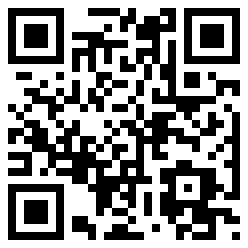
Basic Normal Generated Code - Try Scan with your Smartphone

QR code (abbreviated from Quick Response code) is a specific matrix barcode (or two-dimensional code) that is machine readable and designed to be read by smartphones. The code consists of black modules arranged in a square pattern on a white background. The information encoded may be text, a URL, or other data.

Common in Japan, where it was created by Toyota subsidiary Denso Wave in 1994, it is one of the most popular types of two-dimensional barcodes. The QR code was designed to allow its contents to be decoded at high speed.

The technology has seen frequent use in Japan and South Korea; the United Kingdom is the seventh-largest national consumer of QR codes.

Quick Response codes (QR codes) and other two-dimensional codes are expected to achieve widespread use this year – and for good reason. Consumers want immediate access to what’s relevant and QR codes are being used to make that possible.

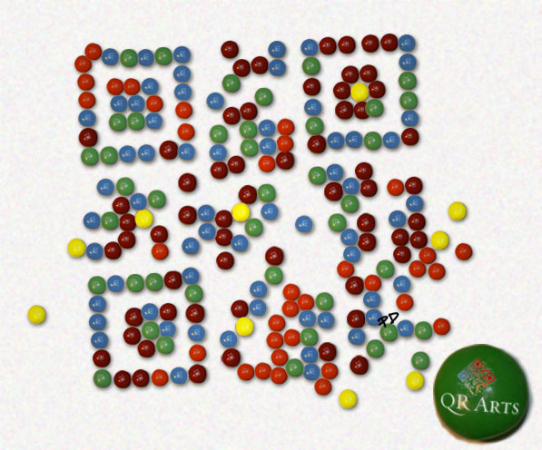
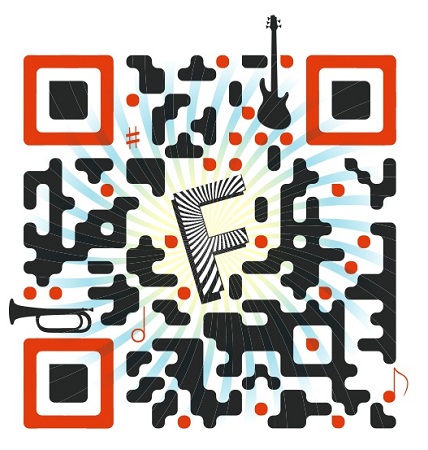
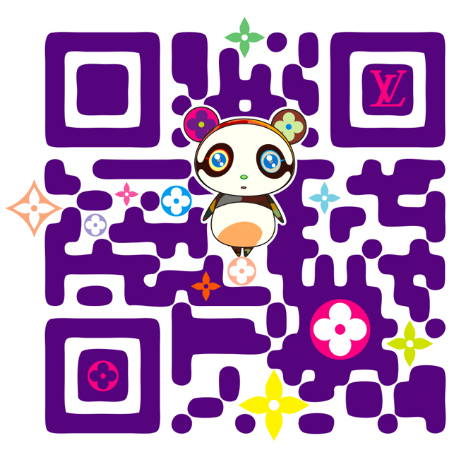
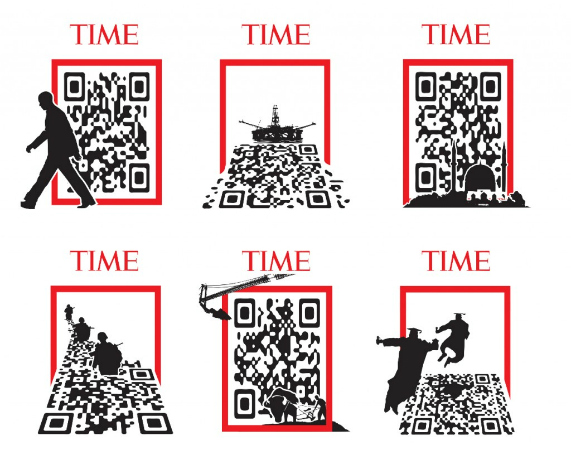
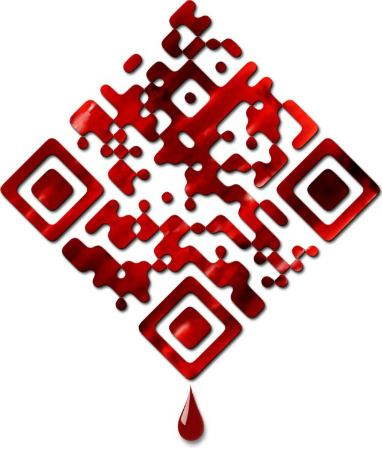
Creative Designed QR Code - Try Click

QR Codes 101
If you’re not yet familiar with QR codes, they’re similar to the barcodes used by retailers to track inventory and price products at the point of sale. The key difference between the two is the amount of data they can hold or share.

Bar codes are linear one-dimensional codes and can only hold up to 20 numerical digits, whereas QR codes are two-dimensional (2D) matrix barcodes that can hold thousands of alphanumeric characters of information. Their ability to hold more information and their ease of use makes them practical for small businesses.

When you scan or read a QR code with your iPhone, Android or other camera-enabled Smartphone, you can link to digital content on the web; activate a number of phone functions including email, IM and SMS; and connect the mobile device to a web browser.

Any of these desired functions are easily achieved by properly creating your QR code.  It’s a simple process of entering the appropriate data into the QR code generator, described below, and it all takes just a few minutes.

The ability of QR codes to connect people with each other and to multimedia digital content is very useful for businesses and consumers alike.

The Origins of QR CodesWhile QR codes are still considered a novelty here in the United States, they’ve been actively used for over a decade in Japan where they were invented.  QR is a registered trademark of Denso Wave, a subsidiary of Toyota.  Denso Wave has elected not to exercise their patent rights of QR codes and that has encouraged their widespread use.

There are other software companies that have created 2D codes that work much like QR codes, with Microsoft being the most notable.  Microsoft developed their own proprietary software to create codes known as MS tags.  Unlike QR codes, which can be read by a number of different readers, MS tags can only be read by the Microsoft Tag Reader.

Choosing to use QR codes or MS tags is a personal choice.  It seems that MS tags presently allow for more possibilities for creative graphic designs, such as incorporating images and logos into the tag. 

How QR Codes WorkQR code Generators – There are a number of sites for generating QR codes and they’re all free.  An Internet search for QR code generator will offer many choices.

One that has worked well for me is Kaywa, a site created by Datamatrix, which is another pioneer of 2D codes.  You can use it to create QR codes that link to a web page, text, phone numbers, or SMS.  Another with even greater capabilities, including customizing the color and format of your codes is Kerem Erkan.

QR code Readers – The QR code reader app that works well on my iPhone is i-nigma, which claims to be the most widely used reader in the world.  It accommodates virtually any type of camera phone. For the android, you can also try Barcode Scanner. If you already own the popular price-checking app Red Laser, they’ve recently adapted their technology to accommodate QR code reading.

Applications for QR Codes
Sharing – There’s no limit to how, or even how much, you can share with QR codes.  While a video or landing page is easily shared, you could go further and share an entire eBook and even multiple pieces of content that share a common link.

QR code Like button to the author’s Facebook page.

Community – Sharing is how you build community, and one of the favorite arenas for doing this is Facebook.  You can use Likify to create a QR code that links your mobile device to a fully functioning LIKE button for your Facebook page.

Calls to Action – After building a community, the next logical step is to mobilize them to take action.   What are you trying to accomplish?  You can alternate special offers by simply linking your QR codes to new landing pages, and you can combine then with email opt-ins to build your list.

The QR code above takes visitors to a Facebook page welcome tab where the calls to action are Liking the page and a list opt-in.

SEO and SMO – Earlier this month I wrote an article on social graphs where I discuss how web objects such as images, music clips, and videos add valuable content to your social graph.  QR codes enhance both your search engine and social media optimization.  Now you can increase traffic to those searchable objects to further optimize them by encouraging more sharing.

Social Proof – To help build a community offline, it can be helpful to use your vibrant online communities as social proof of your influence and expertise.  As one example, you can use QR codes to link to specific blog posts that have earned an abundance of activity.

Analytics - QR codes most commonly link to urls, which is why link shortening services bit.ly and goo.gl now automatically generate a QR code for sharing your shortened links.  Using goo.gl as an example, you simply click on the “more” link after you create your shortened link, where you are taken to a page that not only gives you the QR code, but useful analytics.

MyQR.co is another site that provides analytics and the ability to customize the color of your QR codes

This screenshot shows how bit.ly serves up analytics and a QR code for a shortened link. Scan it to go to a list of recommended QR code readers.

Practical Uses of QR Codes
Here are some ways for using QR codes that are mostly in practice now, as well as we will be seeing in the very near future.

Where
QR Codes could be used:
  • The back (or front and back) of your business card.
  • Your brochures and other marketing materials.
  • The sides of trucks and trailers.
  • Product tags and packaging
  • Convention and event nametags
  • Restaurant menus
  • Event ticket stubs
  • Point-of-sale receipts
What
QR Codes could link to:
  • Installation instructions
  • Sources for replacement parts and service
  • Directions to your business
  • The process for hiring your professional services
  • Valuable coupons and special offers
  • Recommendations for complementary products and services
  • Free mp3 downloads
  • Customer feedback forms
How
You can you maximize your effectiveness with QR codes:
  • Provide explanations about their use and benefits
  • Encourage actions that support your marketing plan
  • Assuage the fears of the technically challenged
  • Give reasons to come back
  • Experiment with the size, location, and color of your QR codes
  • Study your analytics
  • Make the process fun, such as a QR code scavenger hunt
  • Experiment
Practical ExamplesUnited Airlines – Many of the major airlines are now using 2D codes as digital boarding passes.  I recently learned that by the end of 2011 all carriers will be required to provide this service for international flights.

Google Places – When you register your local business with Google Places, you’ll receive a decal for your place of business that includes a QR code to your company website. Be sure that QR code links to the most relevant information that potential customers are interested in – such as hours of operation and current specials and offers.

The Future of QR Codes and TagsThe potential for QR Codes is limitless.  What’s most exciting is how they take what social media is doing well now, bringing people together with technology, and extending it to enhance the experience.

The next generation of barcodes will hold even more information – so much that an Internet connection will not even be necessary.  The content will be effectively embedded in the code.  Imagine scanning a digital code to manifest physical reality?

Content Complied from Jeff Korhan
 
 
Picture
1. Desktop: With your desktop you can search your computer. You can retrieve email, files and much more very easily and more efficiently.

2. Toolbar: The toolbar of Fire fox find suggestions for your searches, you can add buttons which provide you quick access to different web sites. You can also share web pages.

3. Google HealthThis application is for those writers who manage their own health insurance. They can use it in order to organize their records, and they can learn about their health issues and much more.

4. Calendar: You can use this web-based calendar for document sharing and collaboration

5. ReaderEasily get latest information coming from your favorite blogs & feeds with the help of Google Reader.

6. Google Sync for Blackberry: Specially made for such writers on the road: they can sync up your Google calendars and Blackberry calendar.

7. MapsYou can use maps in order to get directions to your next meeting or look up a vendor’s location.

8. Product SearchUsing this product search you can shop for home office supplies and much more.

9. Ride FinderFinding taxis or any other transportation is no more any issue. So now it doesn’t matter weather you are flying to Atlanta, San Francisco or Washington DC for an interview or meeting. You should take services of ride finder.

10. Notebook: Use new Google Notebook far taking down ideas and get rid from all other sticky notes.

11. DocsOnline word processor which you can access any time and you can share changes in real time

12. Sketch Up: SketchUp is used for brainstorm and mock up a project with a co-worker.

13. Lively: Now chat in 3D virtual world with co-workers and design a project visually.

14.Blogger: With Blogger you can refer your client to your blog so that he can get updates on how you’re progressing with their project.

15.Pack: Google Pack is providing free services like Picasa uploader, Notifier for the Mac, Desktop, Google Earth etc.


Tools for your Website or Blog
Blog of a writer is indeed vital to expanding his or her brand, where he can advertise services and other updates. You can use these apps to make the most of your online space.

16. Google Code Search: You can use this search engine if you’re looking for code licenses and public source files.

17. Blogger Mobile: With this app you can post to your Blogger blog from your phone.

18. Feedburner: Make money by using FeedBurner Ad Network. It will help you to market your content, analyze your blog’s traffic and audience.

19. Sites: Create your own website for your own organization by using sites.

20. OpenSocial: Create developer-friendly social applications for your websites you can use Open Social apps.

21.Google Checkout: It’s a payment service which you can add to your site. It makes easier for your clients to pay your invoices.

22.Trends: Use trend and compare search terms and figure out what people are looking for online. After that, you can customize your site according to those trends..

Time Savers: These applications are made to save your precious time while searching and when you’re on the go.

24. Google Chrome: You will find this beta browser more speedy and more secure than before. So while using Google Chrome you can connect to your favorite sites at a faster rate.

25. SMS for your phone: Get your business listings, stock quotes and all other random information which would be sent to your phone by text message.

26.Special Searches: Use special searches in order to save your time on research & find only what you want.

Creativity
Following Google apps are designed to boost up your creativity.

27. Picasa: Picasa is a photo manager and organizer that would be used for inspiration, It provide more dimension to your written pieces and you can also share photos with friends and family.

28.Photos Screensaver: Use Photos screensavers to inspire your current projects. Your projects will pop up whenever you go idle.

Communication:
Want to stay connected with colleagues, clients, editors, agents and even friends and family, use following Google apps and makes your communication easier.

29. Talk: Now get connected around all over the world.Google Talk supports IM and VoIP so you can connect with contacts all over the world very easily.

30. Google Groups: Keep track of your projects or keep up with your family via Google Groups.

31. Orkut: Orkut is a social media web site where you can share videos and photos and get connect with your co-workers or friends. It also provide facility of  instant messaging.

32. Grand Central: Syncs up all your communication tools with Grand Central. Now only with one number rings all your phones, just one voicemail box keeps your messages organized; you can also save all your contacts in address book.

33. Language Tools: With this application you can translate text from primary sources. Language tools also play an important role in order to expand your customer and vendor base.

34. GOOG 411: Use Goog411 and get Connected with businesses and vendors without wasting your phone minutes.

35. Gmail: Google Gmail is the mail service with tons of space available for your files and they are easily searchable.

36.Google Mobile: Those writers who have to visit different places or who are not always at home and can not always site near there computer should use this Google mobile tool.

37.Friend Connect: This app allows you to implement social tools inside your website.This encourage visitors to comment and hence become more engaged.

38.Transit: With the help of Google Transit, it is easier for you to get connected with vendors, clients, editors and even more. It also enables you to find public transportation stops in your area and across all over the country.

Branding and Business
Use Google apps to increase your business and develop your own brand.

39. AdWords: AdWords is an online advertising tool made for your blog.

40. Alerts: You cab set Google Alerts for yourself in order to keep tabs on who is publishing you and similarly who is reviewing you.

41. Google Grants: If you qualify for this system of in-kind advertising or if you are doing little writing for a non profit on the side then use Google Grants.

42.Knol: Share and build up authoritative posts and reviews at Knol, it is a way to market yourself.

43. Base: Use Base to submit content or services. It works on the slogan “make them as easy as possible for people to find when they search.”

Reference
Reference tools are free to use and you can connect with the information you need at a faster rate.

44. Blog Search: Use this tool and narrow your search to find material from blogs.

45. Book Search: Now there is no need to do your research in a library. Book Search enables you to find quotations, inspiration and much more in fiction and non-fiction books.

46. Scholar: Use this tool and limit your searches to scholarly material

47. Video: Search online videos on a very simple and clear platform with this application.

48. Finance: Google Finance is a great social, political and economic indicator which gives inspiration and also works as fact checker. This tool can also be used for organizing your own investments.

49. News Archive Search
Google News Archive Search display results in a time line. Better organize your research results.

50. Google Buzz: Start conversations about the things you find interesting. Share updates, photos, videos and more with your friends.

51. Google +1 Button: The +1 button is shorthand for "this is pretty cool" or "you should check this out."Click +1 to publicly give something your stamp of approval. Your +1's can help friends, contacts, and others on the web find the best stuff when they search.

52. Google Plus +The Google+ project makes sharing online more like sharing in real life. Take the interactive tour for a quick look at five of the first key features.
 
 
Picture
Picture
Picture
Adding Widgets, Add-Ons & tools to your blog is not just a lot of fun for your blog readers, but can also be very useful and help you to create a community for your blog or even a loyal reader base.

Here's a collection of best and most useful blog widgets or add-ons that can be easily integrated with any website/blog. All these below add-ons are 100% Free and they are very easy to install.

Outbrain Star Ratings Widget: Very eager to know what your readers think about your posts?
Here is a cool star rating widget by Outbrain. The insttallation is very simple,
just follow the step by step instructions on their site.

ShareThis or AddThis : Sharethis or Addthis social bookmarking buttons makes it easy for your visitors to share your content with others. It is a good way to increase your link popularity and publicity. Their nice css dropdown icons reduces the clutter on your pages and eliminates the need to add a different button for each social bookmarking service.

whos.amung.us : This is a real time visitor tracking widget and displays the number of people currently on your site and what pages they are reading. You don't need any sign-up's to grab this widget.ZOHO Creator: With Zoho Creator, you can create professional online contact forms/web forums in minutes. The good things about this is there are no data limits and readers can also upload attachments while submitting the form.

Google Talk Badge: Google Talk Badge will let your visitors to chat with you.The badge will active whenever you sign in to Googletalk. The nice thing is your visitors can chat with you even if they don't have a google account.

Yahoo Media Player: With this very useful widget, you can easily add a simple media player to your blog which can auto detect mp3 links and create an embedded player. This tool is very useful for especially audio,music blogs.

Cbox: Cbox or Chatbox is a chat widget which can be easily embedded
in any web page. It is free and have many features including message
history, spam blocking,etc. It can be easily customizable to fit your
blog layout.

Google Translate: This widget lets your non-English speaking
visitors to quickly translate your webpage in their native
language with just a single click.